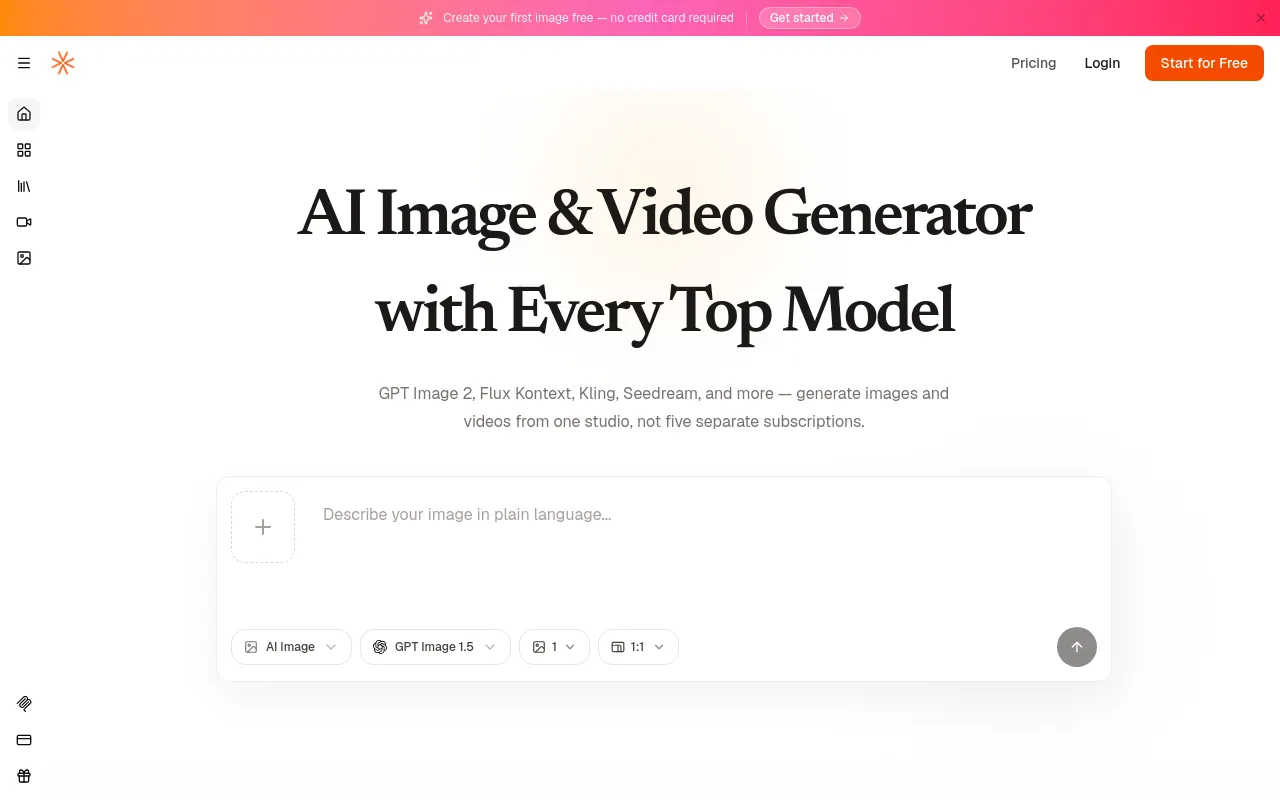
Every top AI image and video model — GPT Image 2, Flux Kontext, Kling, Seedream — in one subscription.

No ratings yet|2

From $0

hello@visiojoy.com

What is Visiojoy?

Visiojoy is an AI creative studio that puts multiple frontier image and video generation models behind a single account, instead of requiring separate sign-ups and subscriptions for each model provider.

From one workspace, users can:

  • Generate images from text prompts (text-to-image)
  • Edit or transform existing images with natural-language instructions (image-to-image)
  • Generate short video clips from text prompts (text-to-video)
  • Animate existing photos into short video clips (image-to-video)

The platform gives direct access to models including GPT Image 2, Flux Kontext, Kling 2.6, Seedream, and Nano Banana Pro, and adds new frontier models as they launch. Visiojoy also runs an MCP (Model Context Protocol) server, so developers can call its image generation and editing tools programmatically from MCP-compatible clients such as Claude and Cursor.

The product runs entirely in the browser, with no software to install. According to Visiojoy, prompts, uploaded images, and generated outputs are not retained after a session ends and are not used for model training without consent.

Core Features

Text to Image

Generate original images from a written prompt, with model and aspect-ratio controls.

Image to Image / AI Image Editor

Upload an existing photo and edit or restyle it with natural-language instructions, such as background removal or object replacement.

Text to Video

Generate short video clips from a text description of the scene, subject, and motion.

Image to Video

Animate an existing photo into a short video clip.

Multiple Frontier Models

Direct access to GPT Image 2, Flux Kontext, Kling 2.6, Seedream, Nano Banana Pro, and other top models in one account, with new models added as they launch.

Aspect Ratio & Batch Controls

Set output dimensions and quality upfront, and generate multiple variations in a single run to compare results.

MCP Integration

Connect Visiojoy's generation and editing tools to MCP-compatible clients like Claude and Cursor for programmatic use.

How to Use Visiojoy

  1. Pick a workflow — Text to Image, Image to Image (AI Image Editor), Text to Video, or Image to Video.
  2. Describe what you want in plain language, or upload a photo and describe the change or motion you want.
  3. Choose a generation model and settings such as aspect ratio, quality tier, or clip length.
  4. Generate. Images typically return in seconds; video clips are usually ready within a couple of minutes, with a progress indicator in the workspace.
  5. Review the result and download it — PNG/WebP for images, standard video formats for clips — when it looks right.

Developers can alternatively connect to Visiojoy's MCP server from a client like Claude or Cursor and call the generate/edit tools programmatically instead of using the web workspace.

Use Cases

  • Short-form and social content creators — generate video clips and images for Reels, TikTok, YouTube Shorts, or Stories without filming or hiring a designer.
  • Marketing and ad teams — test multiple creative directions before committing production budget, and get stakeholder sign-off faster.
  • Ecommerce and product brands — turn a single product photo into lifestyle images or a short animated product clip without a photo shoot.
  • Agencies and content studios — produce rapid concepts and client-facing previsualization while a full production version is still in progress.
  • Designers — generate quick visual references or mood boards before committing to a final direction.
  • Educators and presentation designers — create illustrative images or short video clips to embed in slides and materials.
  • Developers — integrate image generation and editing directly into their own tools or agents via the MCP server.

Pros & Cons

Pros

  • Access to many top AI image and video models under a single subscription instead of separate accounts for each provider
  • No design or technical skills required — every workflow is driven by plain-language prompts
  • Free tier available with no credit card required to start
  • Commercial use is included on all plans, including the free tier
  • Results return quickly (seconds for images, typically a couple of minutes for video), making it practical to compare a few variations

Cons

  • Free credits are limited (up to 20 total) and expire 30 days after account creation
  • Video generation consumes credits much faster than images (up to 10 credits/second at 720p), so longer or higher-quality clips get expensive quickly
  • Output resolution and format depend on the model and plan selected, so quality can vary between generations
  • Top-up credit packs expire at the end of the current billing cycle, and subscriptions offer no refund for partial months

Pricing

Free

$0

  • 6 sign-up credits + up to 14 more via 7 daily check-ins (up to 20 total)
  • Credits valid for 30 days
  • Commercial license included

Starter

$9/month

  • 200 credits per month
  • Annual billing: $86/year (~20% off)
  • Commercial license included

Pro

$29/month

  • 800 credits per month
  • Annual billing: $278/year (~20% off)
  • Commercial license included

Studio

$79/month

  • 2,500 credits per month
  • Annual billing: $805/year (~15% off)
  • Commercial license included

Frequently Asked Questions