L

Littlebird

Littlebird remembers all of your work and can take action across meetings, messages, docs and apps.

No ratings yet|24

From $0

support@littlebird.ai

On this page

What is Littlebird?

Littlebird describes itself as "your always-on AI assistant" that "remembers all of your work and can take action across meetings, messages, docs and apps." It says it "learns by seeing what you see" — paying attention to the active window on your screen — and works automatically, without requiring manual setup, though it also supports "hundreds of integrations" (Notion, Linear, Gmail, Google Calendar, and others) for teams that want to connect specific tools.

The company frames the problem it's solving as eliminating "the overhead of remembering, retrieving, and re-explaining your own work" — since Littlebird has already seen your meetings, documents, and screen activity, you don't have to re-explain context each time you ask it something.

Littlebird was founded by Alap Shah, Alexander Green, and Naman Shah (a user testimonial on the site notes the team includes "Alap and much of the old Sentieo team"). The company lists usage across a range of professional groups — Business Leadership, Creative Professionals, Technical & Product, Health Professionals, Client-facing Professionals, Knowledge & Education, and Personal Life & Productivity — and states it's used at organizations including NVIDIA, Netflix, Stanford, and MIT.

Core Features

Always-On Screen & Meeting Context

Learns by seeing what's on your screen and sitting in on your meetings, working automatically without manual setup.
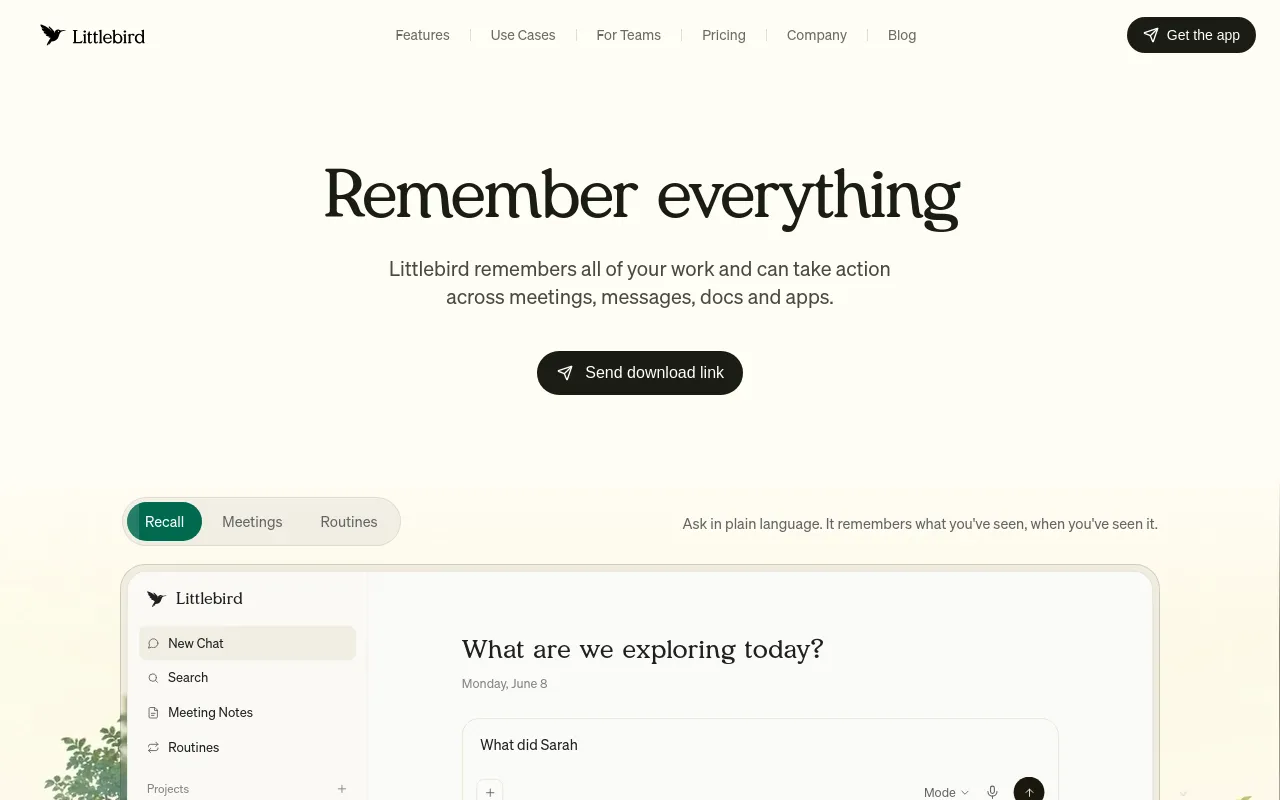
Chat

A conversational interface with full context of what Littlebird has already seen and remembered, including web search and instant cross-app search.

Meeting Notes

Automatically generated meeting notes and transcripts, supporting 10+ languages.

Hummingbird

A floating window (double-tap Option to open) that overlays any app so you can ask questions, including pulling from a live meeting transcript in real time, without switching to the main app.

Routines

Scheduled, proactive briefings and digests that run on a set cadence you define with a prompt, rather than something you have to ask for each time.

Hundreds of Integrations

Connects to tools like Notion, Linear, Gmail, and Google Calendar for teams that want it wired into specific systems.

How to Use Littlebird

Littlebird is designed to work automatically once installed — it "works automatically by seeing what's on your screen... without any setup," rather than requiring manual context entry. From there, it offers a few distinct surfaces:

  • Chat — a conversational interface with full context of what Littlebird has already seen and remembered, plus web search and instant cross-app search.
  • Meeting Notes — automatically generated notes/transcripts from meetings, supporting 10+ languages.
  • Hummingbird — a floating window you summon anywhere on your computer by double-tapping the Option key; it overlays your current window (browser, spreadsheet, Slack, inbox) so you can ask questions — including pulling from a live meeting transcript in real time — without switching to the main Littlebird app.
  • Routines — scheduled, proactive briefings you set up by writing a prompt describing what you want, naming it, and choosing how often it runs; each update includes a chat icon to follow up on that specific update.

For teams wanting deeper tool connections, Littlebird also supports "hundreds of integrations" with tools like Notion, Linear, Gmail, and Google Calendar.

Use Cases

  • Not having to re-explain context: because Littlebird has already seen your meetings, documents, and on-screen activity, you can ask it questions without first summarizing what you were working on.
  • Real-time help during a live meeting or while working in another app, via Hummingbird's floating window — e.g., pulling an answer from the live meeting transcript without leaving the call.
  • Recurring, scheduled briefings via Routines — the company's own FAQ examples include daily briefings on your calendar and priorities, weekly competitor monitoring, news digests on specific topics, and preparation for recurring meetings.
  • Meeting documentation — automatically generated meeting notes, including multilingual transcription (10+ languages) and, on higher tiers, automatic language detection.
  • The company positions the product across a range of professional roles — business leadership, creative, technical/product, health, client-facing, education, and personal productivity — and cites usage at organizations including NVIDIA, Netflix, Stanford, and MIT.

Pros & Cons

Pros

  • Works automatically by watching your screen and meetings "without any setup," so you don't have to manually feed it context or re-explain what you were working on before asking a question
  • Hummingbird's floating overlay (double-tap Option) means you can get an answer — including pulling live from an in-progress meeting transcript — without leaving the app or call you're already in
  • Routines turn recurring status-gathering into something you set up once (a prompt + a schedule) instead of something you have to remember to ask for, with concrete built-in examples like weekly competitor monitoring and recurring-meeting prep
  • The free Basic tier already includes full screen/meeting/app context, chat, web search, calendar and email connections, and instant cross-app search — not just a stripped-down trial

Cons

  • This is an always-on tool that watches your active screen window and sits in on meetings by design — that's the core value proposition, but it's a meaningfully different privacy posture than a tool you only invoke on demand, and is worth being deliberate about (for example, what it sees in meetings you're not hosting, or on screens shared by others)
  • Individual pricing has real jumps between tiers — Free → $17/mo (Plus) → $42/mo (Power) → $100+/mo (Pro) — and usage-credit-style limits mean a heavy user can still hit caps even on a paid plan
  • The About page doesn't disclose founding year, team size, headquarters, or funding/valuation — it names the three co-founders (Alap Shah, Alexander Green, Naman Shah) but nothing about company scale or financials

Pricing

Basic (Free)

$0

  • Full context from your screen, apps, and meetings
  • Daily usage credits for chat and Routines
  • Limited meeting notes
  • Meeting transcription in 10+ languages
  • Web search
  • Quick access (Hummingbird)
  • Mobile app chat
  • Connect calendar, email, and more
  • Instant cross-app search
  • Community support
  • Privacy and data protections

Plus

$17/month billed annually ($204/year), or $20/month billed monthly

  • Everything in Basic, plus:
  • Advanced intelligence in chat
  • Enhanced memory and personalization
  • Monthly usage credits for chat and Routines
  • Credit packs that never expire
  • Unlimited meeting notes
  • Image generation access
  • Max-intelligence access for complex tasks and deep research

Power

$42/month billed annually ($510/year), or $50/month billed monthly

  • Everything in Plus, plus:
  • 2.5x the usage credits of Plus
  • Littlebird MCP access
  • Advanced image generation
  • Priority support

Pro

From $100/month

  • Everything in Power, plus:
  • 5x or 12x the usage credits of Plus, for heavy use
  • Automatic language detection in meeting notes
  • Early access to new features

Team

From $17/month per seat

  • Everything in Basic, plus:
  • Team seat management
  • Advanced intelligence in chat
  • Enhanced memory and personalization
  • Daily and monthly usage credits for chat and Routines
  • Credit packs that never expire
  • Unlimited meeting notes
  • Image generation access
  • Max-intelligence access for complex tasks and deep research
  • Priority support

Enterprise

Custom (contact sales)

  • Everything in Team, plus:
  • SSO and centralized user management
  • Self-hosted deployment option
  • Custom security and data controls
  • Dedicated account manager
  • Custom contracts and invoicing

Frequently Asked Questions